

Find Nearby Places Instantly with AroundMe
AroundMe is a location-aware utility designed to help users quickly discover nearby businesses and essential amenities. Whether you're exploring a new city or navigating your local neighborhood, the software delivers instant access to key services such as supermarkets, restaurants, gas stations, pharmacies, banks, hotels, and taxis. Its primary purpose is to eliminate the need for asking others for directions or searching manually through maps and directories. The app is ideal for travelers, urban explorers, and anyone who values time efficiency when on the move.
Overview
Designed specifically for iPhone users, AroundMe leverages built-in GPS to detect the user’s current location and instantly display nearby points of interest. The software simplifies the process of finding essential services, reducing reliance on verbal inquiries or fragmented search methods. Real-world usage scenarios include locating the nearest pharmacy during an emergency, discovering a quiet café for a quick break, or identifying a taxi rank after a late-night event. The app is particularly useful in unfamiliar environments where knowing your surroundings quickly can make a significant difference.
Although the developer’s background is not publicly detailed, the app’s functionality suggests a focus on practical, real-time utility. The release date of April 8, 2024, indicates a recent update, with improvements focused on compatibility with external navigation apps and minor bug fixes. This suggests ongoing maintenance and a commitment to user experience. The software operates as a standalone desktop application, though its mobile nature aligns with modern on-the-go lifestyles.
Key Features & Capabilities
- Real-Time Location Detection – Automatically identifies the user’s current position using iPhone’s GPS, enabling instant access to nearby services without manual input.
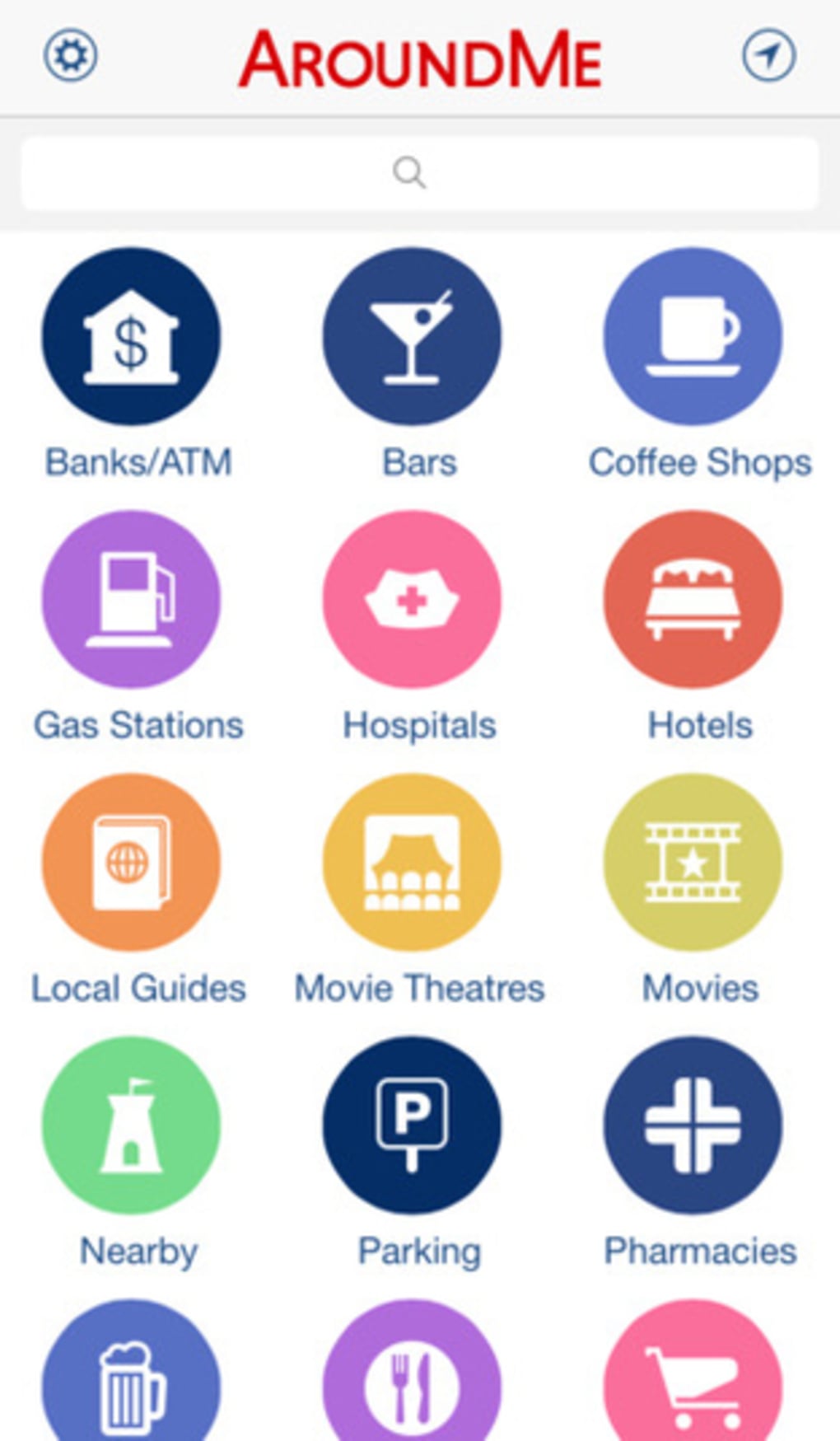
- Comprehensive Business Categories – Provides quick access to over 20 common categories including restaurants, bars, gas stations, hospitals, movie theaters, parking, and pharmacies.
- One-Click Access to Details – Users can tap any listed business to view full address, phone number, and contact information, with the option to save directly to iPhone contacts.
- Integrated Route Planning – Selecting “Show Route” triggers Google Maps integration, offering turn-by-turn navigation from the current location to the chosen destination.
- Fast Search Response – Returns results in a remarkably quick time, even in densely populated urban areas, ensuring minimal delay between query and outcome.
These features streamline daily navigation tasks, making the software a valuable tool for both routine and unexpected needs. For instance, a traveler arriving in a new city can quickly locate the nearest supermarket or restaurant without relying on local knowledge. Similarly, a commuter can find the closest gas station or parking spot during a road trip. The integration with Google Maps enhances usability by providing reliable routing, while the ability to save contact details directly to the phone supports efficient follow-up.
User Interface, Workflow & Performance
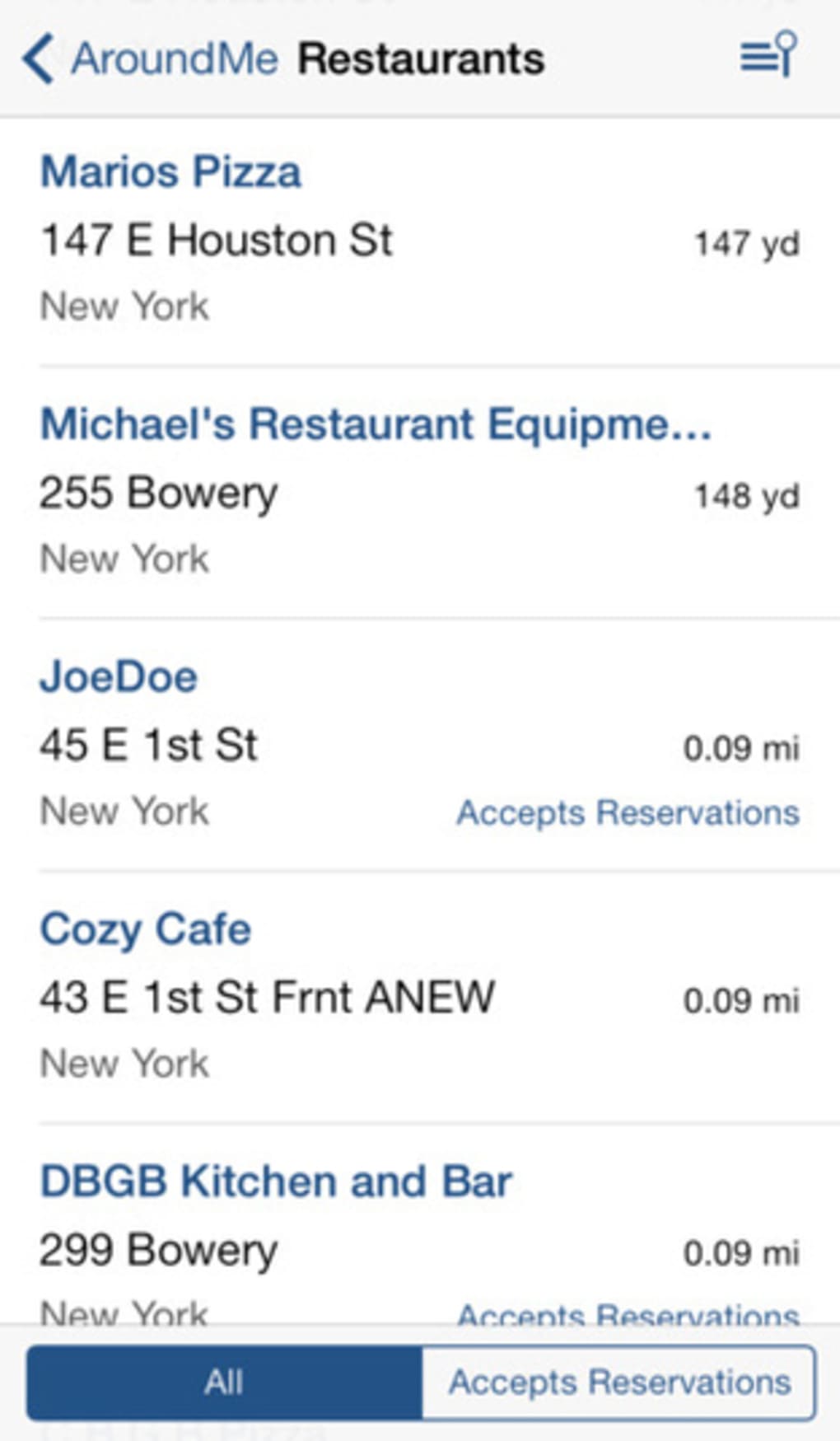
The user interface of AroundMe is streamlined and intuitive, built around a clean, minimal design that prioritizes speed and clarity. Navigation is handled through a simple category menu, allowing users to select a service type and view results in a list format. The workflow is linear and efficient: select category → view list → tap business → access details or route. This reduces cognitive load and supports quick decision-making.
Interaction is optimized for touch, with responsive buttons and smooth transitions between views. The app maintains a consistent layout across different categories, promoting familiarity and reducing learning time. Performance appears to be well-tuned, with fast loading times and minimal lag during navigation. The developer did not specify resource usage details, but general behavior suggests low CPU and RAM consumption typical of lightweight mobile utilities.
Stability is supported by the recent update, which includes minor bug fixes. While no formal performance benchmarks were provided, the app’s responsiveness in real-world use indicates reliable operation. The lack of visual clutter and the focus on core functionality contribute to a stable and predictable user experience.
Compatibility & System Requirements
AroundMe is designed exclusively for iPhone devices, ensuring seamless integration with Apple’s ecosystem. The software requires iOS, though the specific version is not listed. The installation size is 24.4 MB, which is compact and suitable for devices with limited storage. The developer did not provide additional system requirements, so users should ensure their device meets Apple’s standard compatibility for apps of this type.
Exact system requirements were not listed. Compatibility information was partially provided. The app is intended for use on mobile devices with GPS and internet connectivity. It relies on external services such as Google Maps for route display, meaning a stable internet connection is required for full functionality. Offline usage is not confirmed, though basic location detection may work without connectivity.
Pros and Cons
Pros
- Instant access to nearby businesses using GPS location
- Supports a wide range of essential service categories
- Fast response time and smooth navigation
- Seamless integration with Google Maps for route planning
- Free to download and use
Cons
- No sorting by proximity to current location
- Limited business details (no reviews, websites, or guides)
- Dependence on internet connection for full functionality
- Exact system requirements not specified
- Only available for iPhone
FAQ Section
Is AroundMe available for Android devices?
AroundMe is currently designed exclusively for iPhone users. There is no official version available for Android platforms.
Does AroundMe require an internet connection?
Yes, an active internet connection is required to access location data, retrieve business listings, and use Google Maps for route planning.
Can I use AroundMe offline?
While basic location detection may function without internet, full features such as business search and route display require connectivity.
Is the software safe to use?
AroundMe is a free app developed for iPhone and does not require sensitive permissions beyond location access. It is considered secure for typical use.
How often does AroundMe receive updates?
The latest update was released on April 8, 2024, and included improvements in external navigation compatibility and bug fixes. Regular updates are expected to maintain performance and compatibility.
Final Thoughts + CTA
AroundMe delivers a focused, efficient solution for discovering nearby services with minimal effort. Its strength lies in speed, simplicity, and integration with Google Maps, making it a reliable companion for travelers and city dwellers alike. While it lacks advanced features like proximity sorting or detailed business profiles, its core functionality is well-executed and consistently reliable. The fact that it’s completely free enhances its value proposition.
Users who prioritize quick access to essential amenities in real time will find AroundMe indispensable. It’s especially beneficial for those frequently navigating unfamiliar areas. With a lightweight design, intuitive interface, and ongoing updates, the app maintains a strong position in the mobile navigation space.
Download AroundMe now







